
Grubhub: Food Delivery
GrubhubFood & Drink
4.5206.27K Reviews
- Version
- 2026.45
- Installs
- 10.00M
- Age Rating
- Everyone
Screenshots
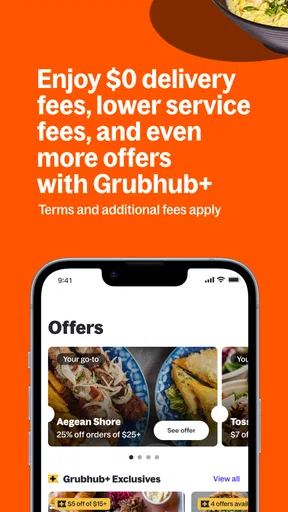
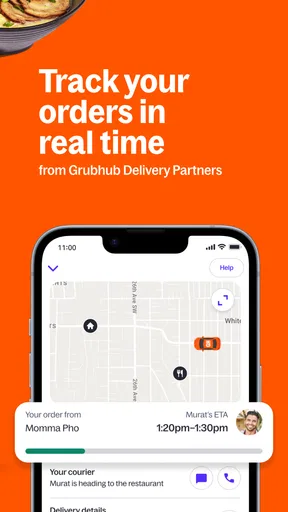
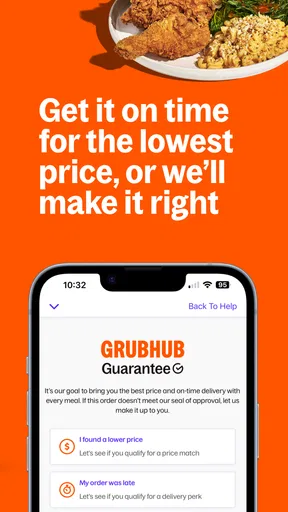
Our Review of Grubhub: Food Delivery
 Analysis by Appyee
I use food-delivery apps most when I want to remove a small decision from a busy day, not when I am looking for a new dining experience. Grubhub fits that role well: it brings nearby restaurants into one place, lets me order meals and other items, and also supports alcohol orders where available. After spending time with it, I found the app easiest to appreciate as a practical ordering tool rather than as a replacement for every restaurant’s own service.
That distinction matters. The app is free, made by Grubhub, and belongs to the Food & Drink category. It has been around since October 4, 2010, and its current version is 2026.34. Its broad reach is reflected in more than 10 million installs, while its average score sits at 4.5 from roughly 988,000 ratings. Those figures suggest that it has become a familiar option for a large number of diners, but they do not remove the need to check the details of each order before paying.
How I use Grubhub from the first search to the final check
I start by deciding whether I know the restaurant or want to browse, then check the delivery location before I spend time comparing menus. From there, I build the order around the occasion and use the basket as a final checkpoint, not just a place to tap through. That routine makes it easier to spot mismatched details and leads into the practical checks that can prevent common ordering snags.
Starting with the right kind of order
My normal workflow begins with the question, “What do I need delivered, and how flexible am I?” If I already know the restaurant, I search for it directly. If I am open to ideas, I browse nearby choices and narrow the list by cuisine or the type of food I want. This sounds basic, but it prevents one of the app’s common traps: scrolling through a long selection without deciding whether speed, price, portion size, or a particular dish matters most.
I also enter the delivery location carefully before becoming attached to a menu. A restaurant that appears useful in one area may not be the practical choice for another address, and delivery availability can change with location. For a home order, I check the address and any building information early. For an office, hotel, or apartment complex, I make the drop-off instructions clear enough that the driver does not have to guess where to go.
Once I open a restaurant, I read the menu as a complete order rather than jumping straight to the first appealing item. I look for required choices, side options, drink selections, and notes that could affect preparation. This is especially useful when ordering for more than one person. I build the basket around the group’s actual needs instead of placing separate orders simply because the menu is easier to scan that way.
A realistic weekday example
Imagine I finish work late and need dinner for two people with different preferences. I first choose a restaurant that has enough variety for both diners, then add the main dishes and review every customization. Before checking out, I compare the expected total with the convenience I am receiving. If one person wants a small side from another restaurant, I ask whether the extra delivery complexity is worth it. Often, choosing one place with a flexible menu is the smoother decision.
That habit also helps with timing. If dinner is needed at a particular hour, I do not wait until the last possible moment to place the order. I review the estimated arrival information, but I treat it as planning guidance rather than a guarantee. A busy restaurant, traffic, weather, or a crowded delivery period can affect the experience. When timing is important, I order with a buffer and avoid building a schedule around the most optimistic estimate.
Reading the basket instead of trusting memory
The basket is where I catch most avoidable mistakes. I check the restaurant name, item quantities, selected options, delivery address, and any instructions. I also review the final amount before confirming. A meal that looked inexpensive while browsing can become a different decision after additions and delivery-related charges are included.
This is not a criticism unique to Grubhub; it is a normal issue with marketplace ordering. The useful lesson is to treat the basket as the real offer. Menu browsing helps me decide what I want, but the checkout screen tells me what I am actually committing to. The final review is the most important shortcut in the entire ordering process.
What happens after placing an order
After I submit an order, I keep the app available long enough to follow its progress and notice any update. I do not repeatedly reopen it every few seconds, but I also do not assume the order is finished simply because the confirmation appeared. If the order is going to an unfamiliar building, I make sure my phone is accessible and that the delivery instructions are usable.
For alcohol orders, I am more careful about the practical requirements than I am with a normal meal. I check that the order is appropriate for the delivery situation and that I will be available when it arrives. Alcohol delivery is not something I would schedule for a moment when nobody can receive it properly. The app’s ability to include alcohol is useful, but it also makes planning and personal availability more important.
Settings and account details worth checking
The most valuable settings are the unglamorous ones: saved addresses, contact details, notification preferences, and payment information. I check saved addresses whenever I move between home, work, and another location. A familiar restaurant is not enough protection against sending food to the wrong place, especially when several addresses are stored.
Notifications deserve a quick review as well. I want order updates that help me follow delivery progress, but I do not necessarily need every promotional message. Keeping useful alerts while reducing distractions makes the app feel more like a tool and less like a stream of reminders. The exact choices available can depend on the device and account, so I focus on the principle: keep status information, reduce noise.
I also make sure my account details are current before a busy ordering day. An old phone number, incomplete delivery note, or outdated address can create more friction than a slow menu ever will. This is one of the best habits for people who order repeatedly: maintain the account when nothing is urgent, so the next order does not become an emergency editing session.
Useful habits for repeat orders
Experienced use is less about discovering a secret button and more about reducing repeated decisions. I keep a short mental list of reliable restaurants for different situations: something quick, something suitable for sharing, and something that travels well. When I need food during a packed day, I start with those known options instead of exploring the entire catalog.
I also pay attention to how well a dish handles delivery. Foods with separate sauces, sturdy packaging, or simple reheating instructions are often safer choices than dishes that depend on perfect timing. This is not a promise about any particular restaurant; it is a way to use personal experience. After an order, I remember which items arrived in good condition and which ones were disappointing after travel.
Another useful pattern is to place the order around the meal rather than around the moment hunger becomes urgent. Ordering a little earlier gives me more room to handle a delay or substitute a restaurant if the first choice is unavailable. It also makes group orders easier because everyone has time to confirm what they want before checkout.
Where the app is stronger than the usual alternatives
Compared with calling restaurants one by one, Grubhub is more convenient for browsing, comparing menus, and keeping order information in one place. I do not have to repeat my address and order details during a phone conversation, and I can review the basket before placing it. For people who dislike phone calls or need to coordinate a shared meal, that is a meaningful advantage.
Compared with ordering directly from a restaurant, the trade-off is less straightforward. Direct ordering can be better when I already know the restaurant, want to support its own ordering channel, or need a specific request handled through staff who know the menu. Grubhub is more useful when I want discovery, a consolidated browsing experience, or access to several nearby choices without switching between separate restaurant systems.
Compared with cooking or picking food up myself, the app wins mainly on time and effort. It does not automatically win on total cost, freshness, or control. Pickup can be the better option when I am already near the restaurant, while cooking remains more predictable when I need a particular portion or have dietary requirements that are difficult to explain through a menu.
Important limits I keep in mind
The biggest limitation is that Grubhub is still a marketplace connecting diners with restaurants and delivery operations. The app can make the ordering process clearer, but it cannot make every restaurant equally consistent. Menu accuracy, preparation quality, packaging, and timing can vary from one place to another. I judge the restaurant as much as I judge the app.
Browsing can also encourage over-ordering. A large menu, add-ons, and easy customization make it tempting to keep adding items. I avoid that by deciding the meal structure before opening the basket: main dish, necessary side, and perhaps a drink. This simple rule keeps the order focused and makes the final total easier to understand.
Another limitation appears when the order is unusually complicated. If I need extensive substitutions, allergy-related certainty, or a highly specific preparation, I prefer contacting the restaurant directly when possible. A short note is useful for ordinary preferences, but I do not treat a delivery note as a substitute for a detailed conversation about serious dietary safety.
People who need absolute timing should also be cautious. A delivery app is convenient for ordinary plans, but I would not rely on it as the only food arrangement for an important event or a tightly timed appointment. For those situations, advance coordination with the restaurant, pickup, or an alternative meal plan may be wiser.
Who should use it and who may want something else
Grubhub is a good fit for someone who orders from nearby restaurants, wants to compare choices in one interface, and values convenience more than complete control over preparation and delivery. It is especially practical for households with different tastes, people working from home, and anyone who needs to arrange a meal without making several phone calls.
It is less compelling for someone who always orders from one restaurant and already prefers that restaurant’s own system. It may also be the wrong choice for a diner with strict dietary requirements who needs direct confirmation, or for anyone who is highly sensitive to fees and can easily pick up the food. In those cases, the usual alternatives may offer better control or better value.
The age rating is Everyone, and the app supports the ordinary family use I would expect from a Food & Drink service. Still, an Everyone rating does not mean every order is suitable for every person. Alcohol availability, menu contents, and household preferences remain matters for the person placing the order to manage.
My verdict after building a repeatable routine
I like Grubhub most when I use it deliberately: choose the purpose of the order, confirm the location, select a restaurant that fits the occasion, review customizations, and inspect the final basket before confirming. That routine turns a potentially distracting browsing session into a quick, dependable task.
The app’s scale is reassuring, with about 205,000 written reviews alongside its large rating base, but my own experience still depends heavily on the restaurant selected and the delivery circumstances. A strong app cannot make a poorly packed meal travel well, and no interface can guarantee that a busy kitchen will move at the same pace as a quiet one.
For a free app, Grubhub offers a useful balance of discovery and convenience. I would recommend it to friends who want a broad restaurant-ordering option and are willing to check the details rather than tap through automatically. I would not recommend using it blindly for urgent, highly customized, or cost-sensitive orders. Used with those limits in mind, Grubhub is a practical everyday choice for delivery, pickup-style browsing, and nearby food decisions, especially when a few repeatable habits matter more than endless searching.
Privacy and Permissions
See what permissions an app requests and how it handles your data.
- Location
- approximate location (network-based), precise location (GPS and network-based)
- Phone
- read phone status and identity
- Photos/Media/Files
- read the contents of your USB storage, modify or delete the contents of your USB storage
- Storage
- read the contents of your USB storage, modify or delete the contents of your USB storage
- Camera
- take pictures and videos
- Wi-Fi connection information
- view Wi-Fi connections
- Device ID & call information
- read phone status and identity
- Other
- view network connections, connect and disconnect from Wi-Fi, full network access, control Near Field Communication, reorder running apps, control vibration, prevent device from sleeping, read Google service configuration
Verdict
Strengths of Grubhub: Food Delivery
- Wide selection of local restaurants and cuisines
- Convenient scheduled delivery and pickup options
- Order tracking helps monitor delivery progress
- Frequent coupons and restaurant-specific promotions
- Saved addresses and payment details speed up checkout
Limitations of Grubhub: Food Delivery
- Delivery fees and service charges can increase the final price
- Restaurant availability varies significantly by location
- Estimated delivery times may change during busy periods
- Promotional offers often include eligibility restrictions
- Customer support experiences may vary by order issue
Other Releases by Grubhub
View All
Grubhub for Drivers
Business4.4
Similar Picks in This Category
View All
Rappi: Food Delivery, Grocery
Rappi, Inc - Delivery3.5

McDonald’s: Cupons e Delivery
Arcos Dorados4.3

Swiggy: Food Instamart Dineout
Swiggy4.7

Blinkit: Groceries & more
Blinkit4.8

foodpanda: food & groceries
Foodpanda GmbH a subsidiary of Delivery Hero SE4.0

Zomato: Food Delivery & Dining
Zomato4.7
Frequently Asked Questions
What is Grubhub: Food Delivery, and how does it work?
Grubhub is a food delivery and pickup app that lets you browse nearby restaurants, view menus, customize orders, and pay from your Android or iOS device. After entering your delivery address, the app displays available restaurants, estimated fees, and delivery times. You can place an order, follow its status, and receive updates until the food arrives.
Is Grubhub available everywhere, and how can I check restaurant coverage?
Grubhub’s availability depends on your location and the restaurants operating in your area. Entering your address or enabling location access will show which restaurants deliver nearby and which offer pickup. Coverage, delivery distance, opening hours, and estimated arrival times can change throughout the day, so checking the app before ordering is the best way to confirm service.
How much does Grubhub delivery cost?
The total price may include the food cost, delivery fee, service fee, taxes, and any optional tip. Charges vary according to the restaurant, distance, order size, promotions, and membership benefits. Grubhub normally shows a cost summary before you submit the order, so review every line carefully, especially if a low advertised delivery fee does not include other applicable charges.
Can I track my Grubhub order or change it after placing it?
Grubhub generally provides order-status updates, including confirmation, preparation, pickup, and delivery progress. Depending on the restaurant and order stage, you may be able to contact support or the restaurant about an issue, but changes and cancellations are not guaranteed once preparation has started. Review your address, items, options, and delivery instructions carefully before confirming.
Does Grubhub offer discounts, subscriptions, or contact-free delivery?
Grubhub frequently offers restaurant promotions, coupons, and other savings, although eligibility and availability can vary by account and location. Some users may also have access to Grubhub+, a subscription program that can provide benefits such as reduced delivery fees at participating restaurants. Delivery preferences, including contact-free instructions, can usually be selected when supported by the restaurant and courier.
